INTEGRATIONS

Your Bio Data, Tasks, and Calendar in One Place

Phase works with the tools you already use. Connect your wearable, pull in your task list, sync your calendar, and Phase ranks your work by what your brain is actually built for today.

How it Works

1
Connect your wearables or apps.
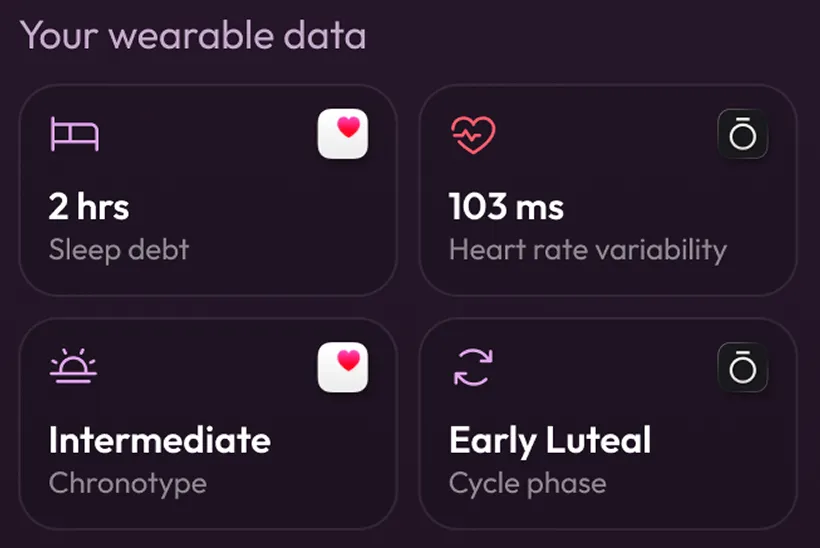
Phase pulls live bio data from Oura, Whoop, Apple Health, Garmin, Flo, and 70+ other wearables and apps, including your sleep score, readiness, HRV, recovery, and cycle phase.
2
Bring in what you're already working on.
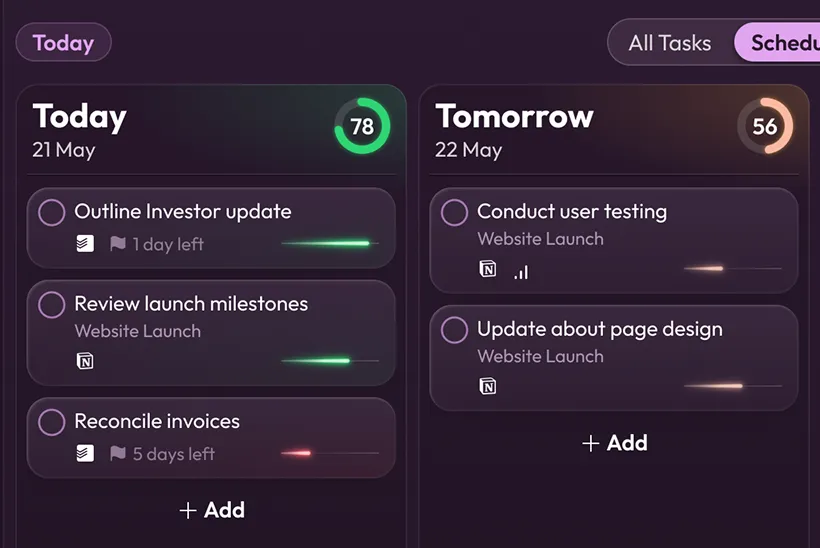
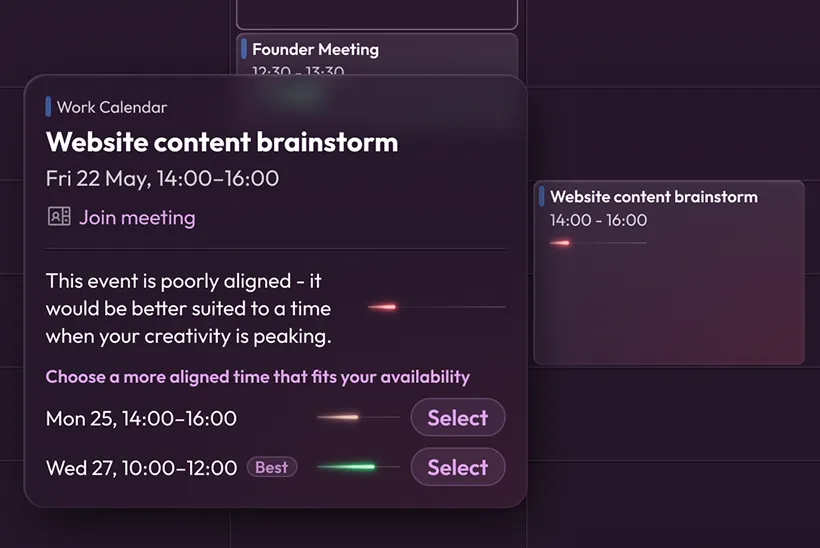
Phase syncs your tasks and calendar from the tools you already use, and assesses them based on whether they need high-energy collaboration, quiet reflection, or systematic attention.
3
Phase helps you optimize your day.
Phase acts like an executive assistant that also understands your biology and your brain, showing you what to work on now and how to plan your time.
Bio data sources

Bio Data Sources

Phase needs to know how you're running today. Connect your wearable, tracker or health app and Phase does the rest - translating your sleep score, HRV, and cycle phase into a cognitive profile for the day.
+ more coming
● Live
Oura Ring
Your readiness score, working for you.
Oura tracks your sleep, HRV, body temperature, and readiness. Phase takes that data and maps it against your task list, so your Oura score stops being a number you check and starts being something that changes how you plan your day.
● Live
Apple Health
Everything your iPhone and Apple Watch are already tracking.
Your phone already knows more than you think. Phase connects to pull sleep analysis, heart rate data, and menstrual cycle tracking, so you don't need a new device to get started.
● Live
WHOOP
Recovery score, meet task list.
WHOOP measures how recovered you are, how much strain you took on yesterday, and how well you slept. Phase reads that data and tells you what kind of work fits your recovery level.
TASK MANAGERS

To Do Lists & Task Managers

Phase connects to your existing to do lists and task & project management systems, reads your active tasks, and ranks them by biological alignment, so that you know exactly where to start.
+ more coming
● Live
Notion
Your Notion system has everything. Phase tells you which task to work on right now.
Phase imports your Notion tasks and ranks them by biological alignment alongside priority and due date. Phase tells you which task in your system your brain is best equipped to tackle right now, and when the rest will feel easier. Connect Notion to Phase in seconds.
● Live
Todoist
Pull your tasks into Phase from Todoist, and do the work your brain is built for today.
Learn how to integrate Todoist into Phase, so that you can see what to do, based not just on priority and due date, but also based on what your brain is best for today.
● Live
Asana
Bring your Asana projects into Phase, and tackle the work that fits your cognitive strengths now.
Phase imports your Asana tasks and ranks them by biological alignment alongside priority and due date. Phase shows which ones match your cognitive strengths right now and which to save for later. Connect Asana to Phase in second
● Live
Linear
Sync Linear with Phase, and prioritise product work based on biological alignment.
Phase imports your Linear issues and ranks them by biological alignment alongside priority and due date. See which product work fits your cognitive strengths today. Sprint planning meets cycle awareness.
Don't See Your Tool?
Integrations are prioritised based on user demand. Let us know what you use.
Request an integration →

Frequently Asked Questions

Everything you need to know about Phase integrations.
Does connecting an integration change my existing data or setup?

No. Phase is read-only for all integrations. Your tasks stay in your task manager, your calendar stays in your calendar app, and your wearable data stays with your device. Phase reads the data, ranks your work inside Phase, and doesn't write back to any connected tool.

Do I need a wearable to use Phase?

No. Phase works with cycle phase data alone if that's what you have. That said, connecting a wearable significantly enriches the data Phase has to work with — sleep, HRV, and readiness scores add another dimension to your daily cognitive profile. The more data Phase has, the more precise your task ranking.

Can I connect more than one task manager?

Yes. If your tasks live across multiple tools — for example, personal tasks in Todoist and work projects in Linear — you can connect both and Phase will pull everything into a single ranked view.

Is my data private and secure?

Yes. Phase holds your data securely and does not share it with third parties. Your bio data is visible only to you. Full details in the Phase Privacy Policy.

Which task managers does Phase connect to?

Phase currently integrates with Notion, Todoist, Asana, and Linear. More task managers are in development — use the request form above to register demand for your tool.

Do the right work, at the right time. For you.